


Are you looking for the perfect NAS operating system to run on your own hardware? There’s a number of options out there, including building your own NAS from scratch. However, you’ve also got several pre-built NAS-focused operating systems to choose from.
These OSes take a lot of the guesswork out of configuration and get you right into setting up your storage server. Plus, most modern NAS operating systems integrate Docker, virtual machine management, and so much more—giving you an all-in-one solution for your storage and virtualization needs.

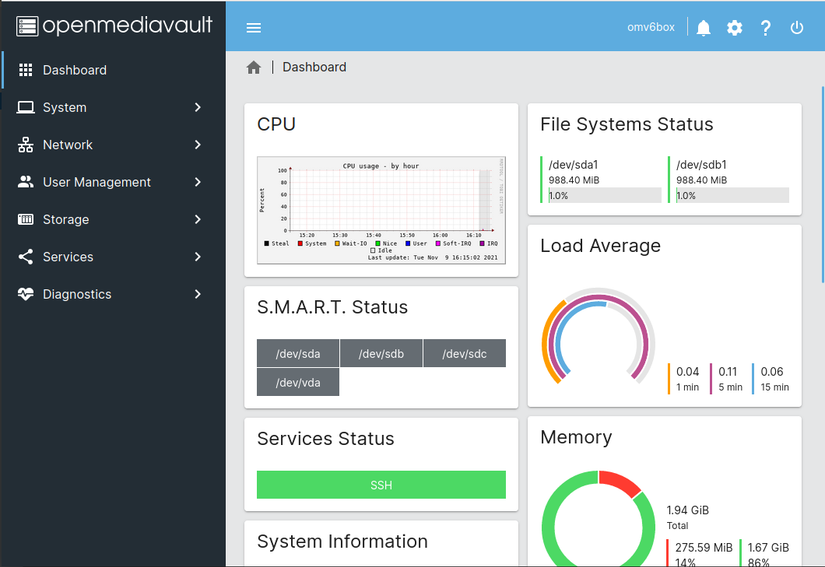
OpenMediaVault is a NAS operating system many go to when TrueNAS or Unraid doesn’t fit the bill. Also based on Debian, OpenMediaVault (or OMV) is more similar to TrueNAS than Unraid. It utilizes software-based RAID for redundancy, and also delivers functionality like antivirus, USB backup, native Microsoft OneDrive integration, Kubernetes and Docker support, and much more.
Overall, OpenMediaVault’s interface even resembles TrueNAS, just with a few tweaks. This is a great choice if you want to try software that’s more flexible than TrueNAS while still benefitting from ZFS and RAID-Z.
|
Category |
Details |
|---|---|
|
Best For |
|
|
Download Link |
Download OpenMediaVault |
CasaOS


CasaOS is a newcomer to the DIY NAS space, touting itself as “Your Personal Cloud OS.” With CasaOS, you’ll find that it’s essentially a way to run Docker applications in an easy-to-use way. While CasaOS isn’t actually a full operating system, it’s a dashboard that can be installed on the Linux OS of your choice.
Because CasaOS uses whatever Linux operating system your host machine is running, that means it can mount NTFS, ext2/3/4, VFAT, and exFAT filesystems and integrate them through MergerFS. This gives you a unified storage solution utilizing different filesystems, making it quite versatile.
Going this route, CasaOS is able to focus most of its efforts on the interface and functions of the software instead of maintaining an operating system. It’s a unique method, but seems to be working for it.
While I’ve not run CasaOS yet, I do plan to try it out in the future as a means to have a simple and easy to use interface backed by Docker without having to fully install an operating system.
|
Category |
Details |
|---|---|
|
Best For |
|
|
Download Link |
Download CasaOS |
HexOS


HexOS is another newcomer to the DIY NAS scene, but takes a page out of Unraid’s playbook. Instead of being free, like TrueNAS, OpenMediaVault, and CasaOS, HexOS costs $199 right now, with the price going up to $299 after early access ends (no set date at the time of writing).
The team behind HexOS bills the operating system as a simple and easy-to-use NAS software, which brings advanced features like virtual machines, Docker containers, and more to your fingertips. The setup wizard helps you configure remote access out of the box, it auto configures storage devices, and provides one-click app deployment of your favorite services.
HexOS also makes backing up easy, letting you back up one HexOS node to another, whether it’s yours or someone else’s. Plus, it supports snapshots for recovery if the need arises.
|
Category |
Details |
|---|---|
|
Best For |
|
|
Download Link |
Download HexOS |
TrueNAS

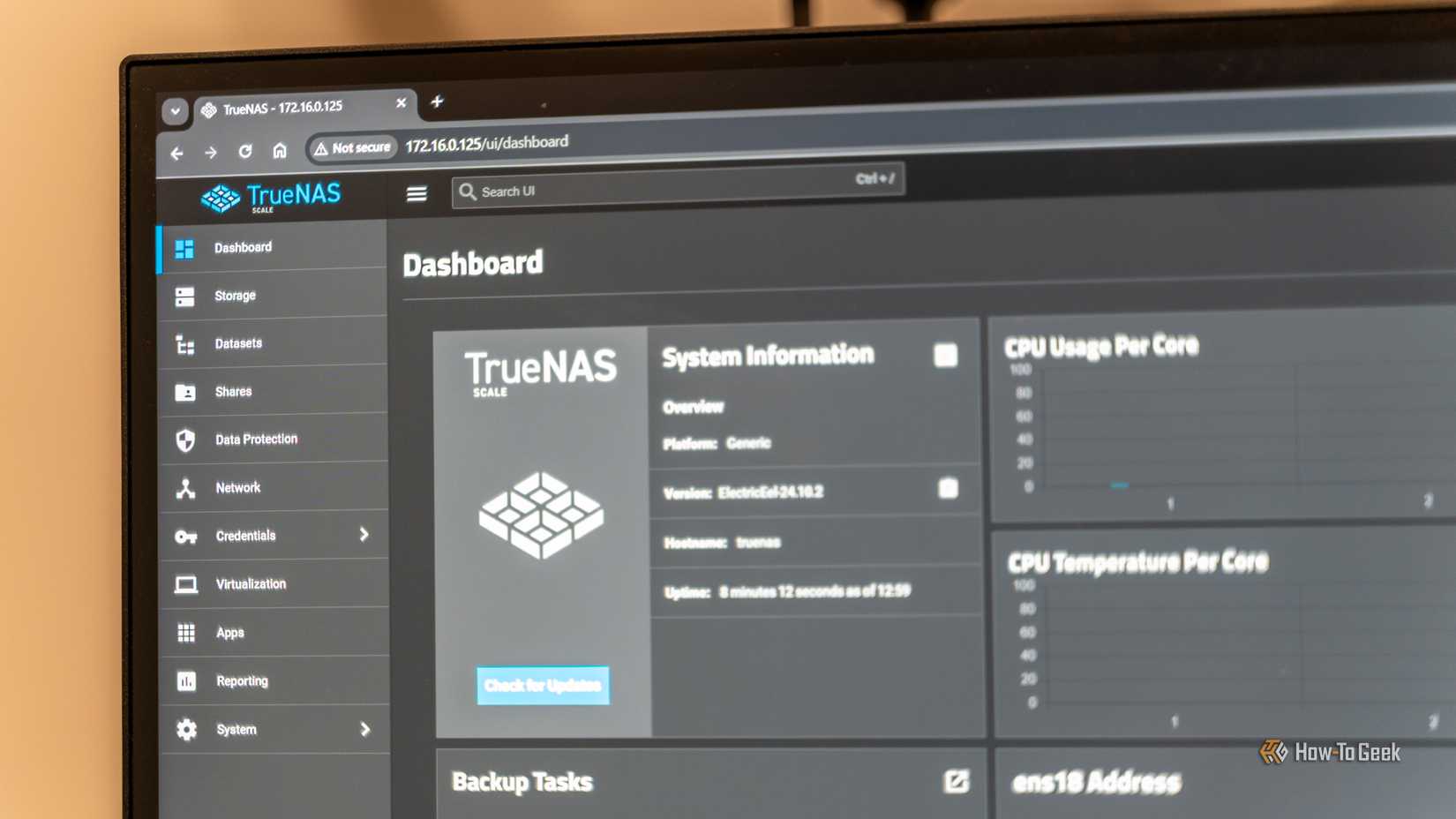
TrueNAS is one of the most popular do-it-yourself NAS operating systems around. While TrueNAS used to be based on FreeBSD (when it was called FreeNAS), it now has a Debian base and has become a much more mature operating system.
One of the main reasons that TrueNAS is a popular NAS operating system is because it’s based on ZFS. ZFS, or the Zettabyte File System, is known for its data integrity, having good compression, snapshot support, and other RAID-like capabilities.
TrueNAS supports Docker containers, virtual machines, GPU sharing, LXC containers, and more, making it a one-stop shop for your self-hosted needs in addition to handling your storage.
However, TrueNAS is definitely storage-focused, and the application side of things leaves a little to be desired. For example, their official application repository is severely lacking when it comes to many major apps that I tried to run, and I had to go to the community to get things up and running.
Overall though, TrueNAS is a great NAS-focused operating system if you value data integrity over all else.
Unraid


Unraid is another very popular NAS operating system. While TrueNAS uses ZFS and RAID-Z as its core data structure, Unraid uses the parity system for data redundancy.
This is the primary reason why I run Unraid in my own setup. With traditional RAID or RAID-Z, you can lose out on extra storage when mixing and matching drives of various sizes together. Unraid, on the other hand, pools all of that data together and protects it with the largest drive in the array.
Unraid also features full Docker integration with a robust application library, virtual machine support, and much more. However, the downside to Unraid is its price. While TrueNAS is free, Unraid costs at least $49, up to $249 depending on the license you choose and how many drives you need.
Unraid is my personal NAS operating system of choice, and I’ll continue to use it for many years to come.
|
Category |
Details |
|---|---|
|
Best For |
|
|
Download Link |
Download Unraid |
At the end of the day, I personally chose Unraid to run my NAS at home. With nearly 70TB of storage in my server, I have run Unraid for almost five years without ever having a problem.


- Memory
-
120TB
- Drive Bays
-
Four
- Ports
-
Ethernet Cable, Power Adapter
The UGREEN NASync DH4300 Plus is a 4-bay desktop NAS enclosure with massive storage capacity up to 120TB, remote data access, and a user-friendly system for all your devices. It has intelligent AI photo management, robust 8GB RAM, and a fast 2.5GbE port for better performance.
link