Alternative operating systems like Haiku OS and SerenityOS are fun, but they’re not for average users
If you thought Windows, macOS, and Linux were the only operating systems for general-purpose PCs, you might want to take a look at the sheer number of alternative OSes out there. The FreeBSD scene alone has a couple of noteworthy options, with GhostBSD being so well-developed that I wouldn’t mind using it as my daily driver.
On the other side of the utility spectrum are operating systems designed by smaller developer teams. Haiku OS and SerenityOS are the more popular of the bunch, and bring some rock-solid features to the table. As Windows 10’s discontinuation date inches closer, the alternative OS ecosystem has started to come to light. But as much as I adore them, I can’t really recommend normal users to use them, especially if you’re looking for something that can replace Microsoft’s uber-popular last-gen OS.
They definitely nail the retro look
And can work on outdated systems

Before I begin, let me state that I have mad respect for the developers coding these operating systems, and nothing would please me more than Windows getting dethroned by them. In fact, Haiku OS and SerenityOS pack some neat utilities that you won’t find on their popular rivals. The former, for instance, carries the legacy of the age-old BeOS. It also ships with the database-like Be File System.
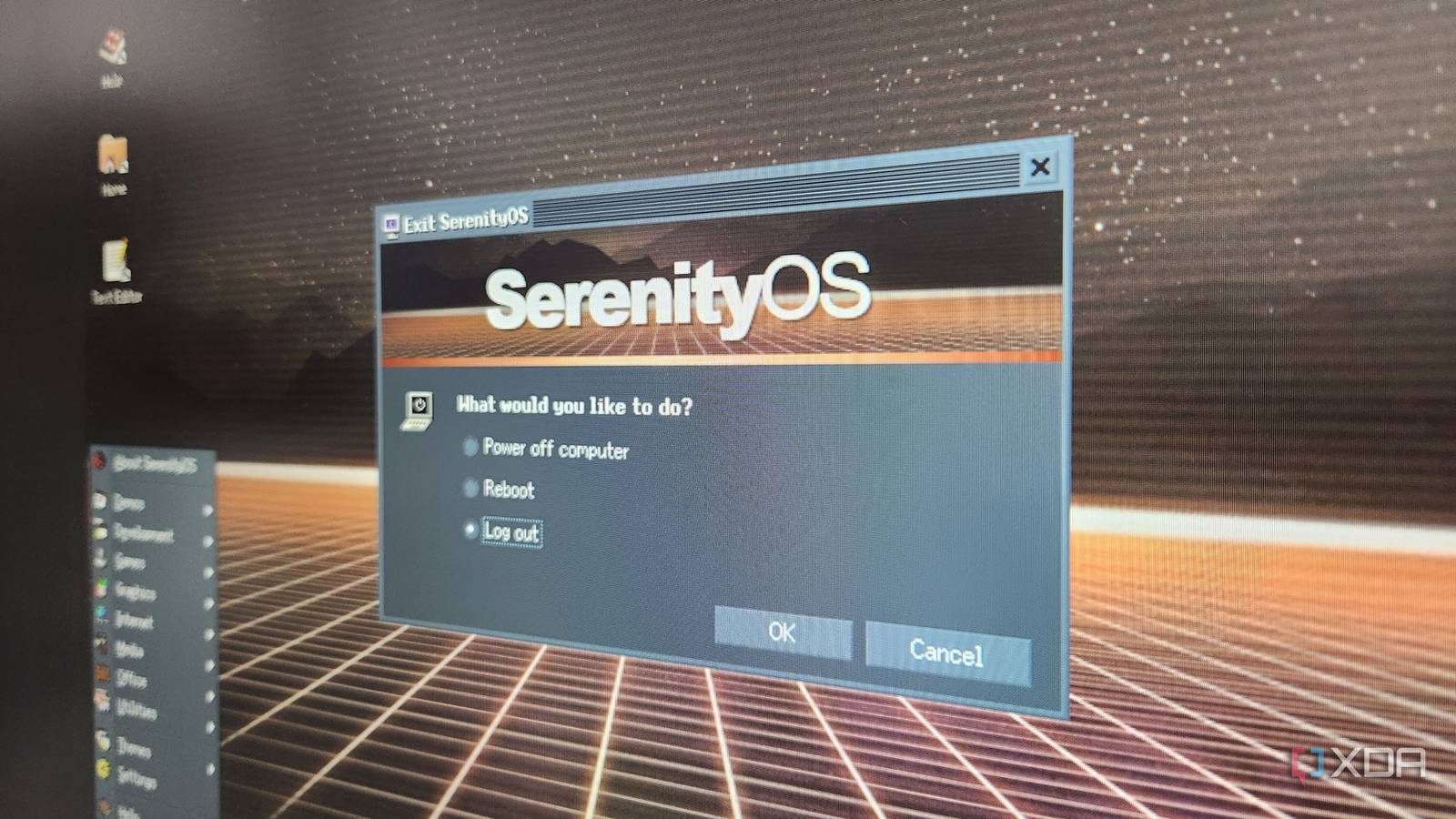
Meanwhile, SerenityOS is a Unix-like operating system that features its unique in-house kernel rather than relying on modifications of pre-existing modules. While it does follow some Unix principles, SerenityOS is quite different from Linux and FreeBSD, which is precisely what attracted me to the OS.
Both operating systems feature a retro ‘90s design, and include several apps and services you’d find on PCs from that era. You also get the ability to install (and even compile) certain app ports on Haiku OS and SerenityOS. If you’re on a low-spec system that struggles to keep up with the sky-high resource usage on Windows, these nostalgia-inducing alternative OSes can help bring it back to life – if not for some deal-breaking issues.
Haiku is still missing essential packages
Even though some ports are surprisingly functional
When it comes to general-purpose operating systems, you’ll want something that can run the majority of consumer-oriented applications – and that’s where Haiku OS and SerenityOS start to falter. Haiku OS is somewhat better in that regard, as some of the more popular FOSS tools have been ported over. On the productivity front, you’ve got LibreOffice and Emacs, alongside GIMP, Audacity, and Krita for your design needs. While the default web browser leaves a lot to be desired, you could install Iceweasel (an amusingly named fork of Firefox) via the Haiku Depot. Heck, you can even run the similarly named Thunderbird port, Icedove, on the OS.
Unfortunately, the majority of essential apps have yet to be ported over. Darktable isn’t available on the OS, and the same holds for Kdenlive (let alone Davinci Resolve). VS Code is another app that’s missing on Haiku. While the desktop UI itself is pretty snappy, I’ve had micro freezes and delayed responses when using Iceweasel – especially for watching videos.
While the UI is undoubtedly nostalgia-inducing, troubleshooting can get rather tricky – and I say that as someone who recently tried setting up FreeBSD on a normal system. Throw in the broken ports, and you can see why I’m so apprehensive about recommending Haiku OS to the average user. And that’s before I consider the complex nature of SerenityOS…
SerenityOS is too complicated to configure
You gotta build it yourself
Whereas HaikuOS has a relatively straightforward installation process, SerenityOS doesn’t even include an ISO or IMG file. Instead, it’s designed to be built from scratch, raising the entry barrier significantly for the average Joe.
Likewise, its package selection is even smaller than Haiku OS. Sure, you get a fair number of customization options to find the right flavor of nostalgia for your SerenityOS setup, and the included apps are decent as far as systems from the late 2000s go. But for average users, the SerenityOS software collection is too rudimentary for everyday use, with the FOSS ports requiring a decent amount of trial and error and troubleshooting.
Nevertheless, they’re fantastic for tinkerers
Definitely worth running on VMs if you like alternative operating systems

While Haiku OS and SerenityOS aren’t fit for most users, it’s an entirely different story if you’re a DIY enthusiast looking for something engaging to sink your teeth into. Heck, I’ve got separate virtual machines for both operating systems – one running Haiku OS, and another Debian-based VM where I built SerenityOS a while ago. Both operating systems are fairly lightweight, and you can get them up and running simultaneously on a normal PC.
Or, you could go the Linux route if you want some retro vibes for your daily driver while retaining most of its functionality. Even without diving into the endless expanse of Linux ricing, you can turn even the most unassuming distro into something from the ‘90s using Xfce, themes, and a little bit of patience.
link